Add-on products are the extras renters can tack onto a booking at checkout — straps, chains, ramps, delivery, cleaning, insurance, a damage waiver. They lift your average booking and give renters what they need in one place.
Open Add-On Products from the My Fleet section.
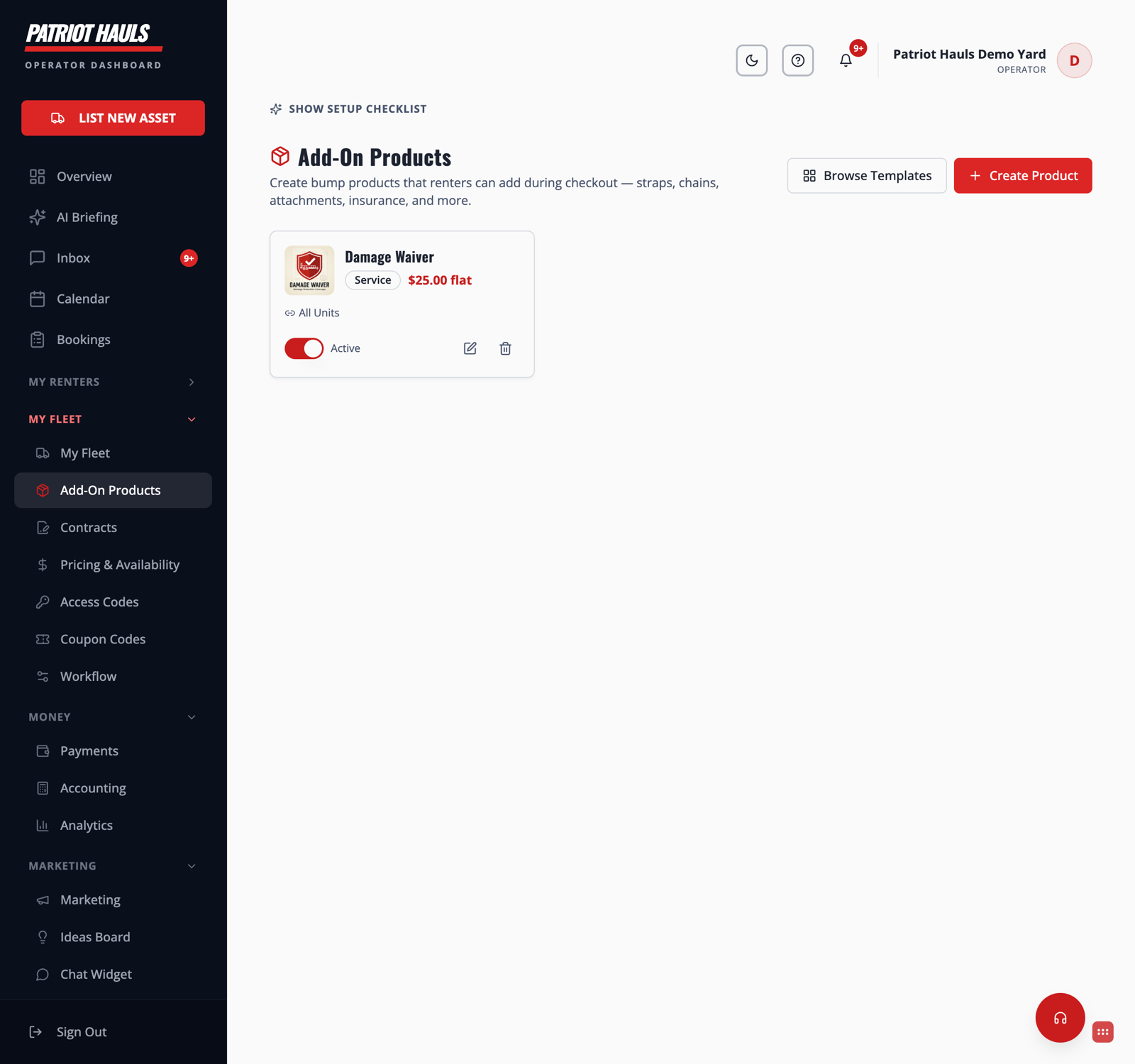
Create an add-on
- Open My Fleet → Add-On Products.
- Click Create Product.
- Give it a name, set the price, and choose whether it's a flat charge or priced per day.
- Choose where it applies — a specific unit, or All Units.
- Toggle it Active so it appears at checkout.
Start from a template
Not sure what to offer? Click Browse Templates for a gallery of common add-ons you can add in one tap, then tweak the price and details to fit your business.
Tip: A few well-chosen add-ons beat a long list. Start with the two or three renters actually ask for — delivery, straps, a damage waiver — and add more once you see what sells.
Offering a damage waiver specifically? See The damage waiver add-on. Add-ons show up in the renter's checkout before they pay.
Still need help? Tap the Support button inside your dashboard.