Every trailer, piece of equipment, or dumpster you rent out is an asset in your fleet. Add one and renters can find it, check its specs, and book it. Here's how to add your first.
Add an asset
-
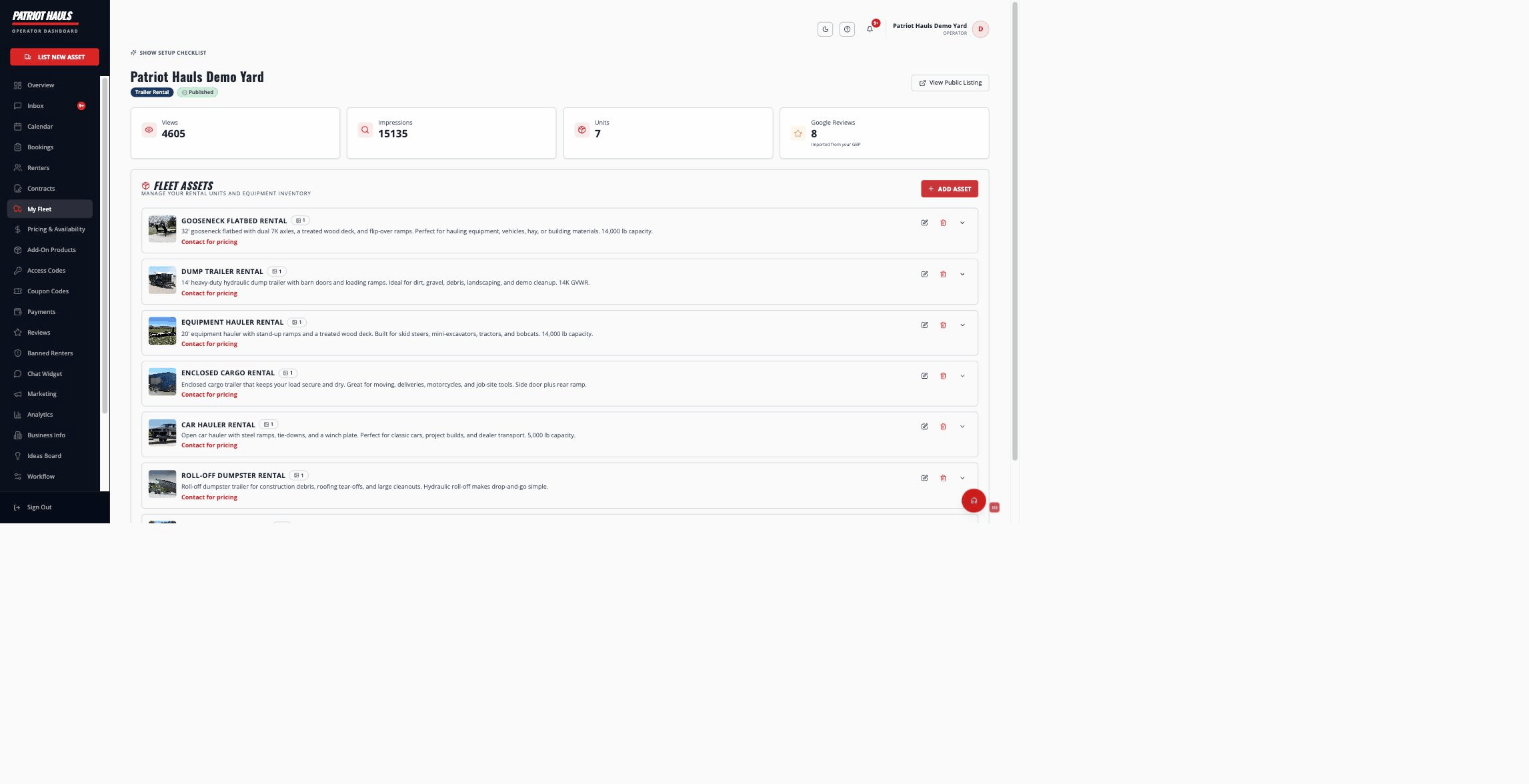
In your dashboard, open My Listing. (You need a business listing first — if you don't have one yet, follow the onboarding checklist.)
-
Scroll to the Fleet Assets section and click Add Asset.
-
Pick the asset type: Trailers, Equipment, or Dumpsters. This sets which specs you'll be asked for next.
-
Fill in the Mission Briefing: an asset name (e.g. "2024 Heavy Duty Dump Trailer"), the sub-category, and a description. The specs and pricing fields below change based on the type you chose.
-
Click Save. Your asset is added to the fleet.
Tip: Give each asset a clear, specific name. "16ft Tandem Utility Trailer" tells a renter far more than "Trailer 1," and it's what shows up in search.
What you'll add next
A new asset starts as one bookable unit. Once it's saved, you can flesh it out:
- Specs and photos — dimensions, hitch and plug details, a stock number, and pictures. See trailer specs and photos.
- Pickup yard — where this unit is picked up from. See pickup locations and yards.
- Multiple physical units — if you own several identical trailers, add each one (with its own VIN and stock number) so they share one listing but book independently.
Pricing
Set your daily rate (and optional hourly, weekly, or monthly rates) and a security deposit in the asset editor. The daily rate is the headline price renters see. Daily rates must be at least $10/day.
Good to know: Adding an asset doesn't make it public on its own. Your whole listing has to be published — and your payouts connected — before renters can book. See publishing your listing.
Still need help? Tap the Support button inside your dashboard.