Screening questions let you ask renters about their haul, tow vehicle, or job before you approve a booking. The answers travel with the booking, so you can approve, decline, or call with full context — instead of finding out at pickup that the load is too heavy or the hitch doesn't match.
Set up your questions
- In your dashboard, go to Settings → Booking Questions.
- Pick a category at the top (Trailer, Equipment, Dumpster, and so on). Each category gets its own separate question list, because what you need to ask a dumpster renter isn't what you'd ask someone towing a car hauler.
- Click Load suggested questions for a ready-made starter pack you can edit, or Add a question to write your own.
- For each question set the prompt, an optional helper text hint, and an answer type:
- Short text or Paragraph
- Single choice or Multiple choice (you supply the options)
- Yes / No
- Number
- Toggle Required on for any question a renter must answer to book. Reorder questions with the up/down arrows.
- Click Save questions.
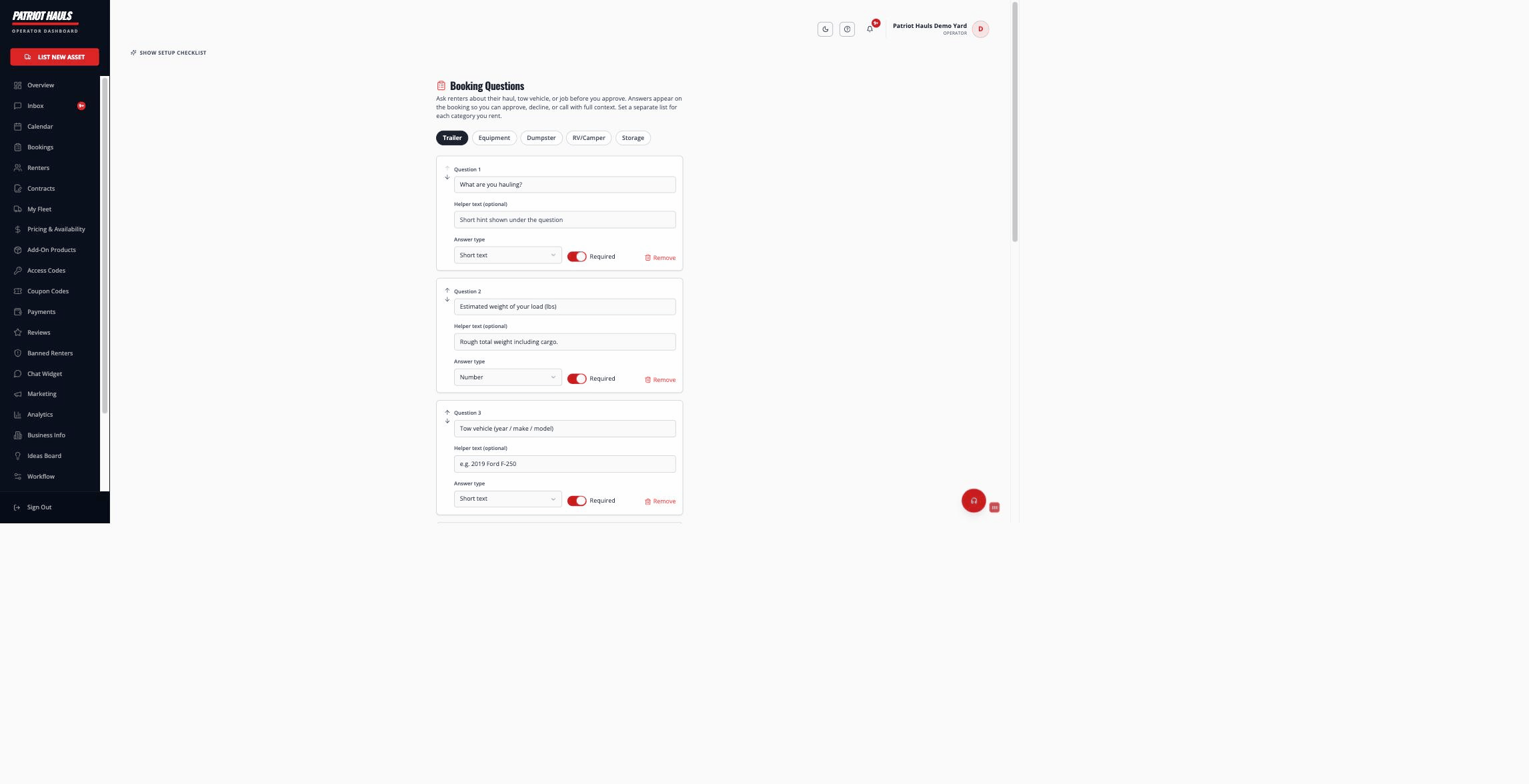
Tip: The trailer starter pack already asks the high-value ones — what they're hauling, estimated load weight, tow vehicle, and towing experience. Load it, trim what you don't need, and you're done.
When renters answer
Renters answer your questions as a step in the booking checkout, before they pay. If you haven't added any questions for that category, renters simply skip the step.
Good to know: Each answer is snapshotted onto the booking when it's made. If you later edit or delete a question, past bookings still show exactly what that renter answered.
Where you read the answers
The answers show up under "About this haul" on the booking — in the booking detail and in the review sheet when you're approving a request. So everything you asked is right in front of you when you decide. For how approvals work, see approving or reviewing bookings.
Still need help? Tap the Support button inside your dashboard.