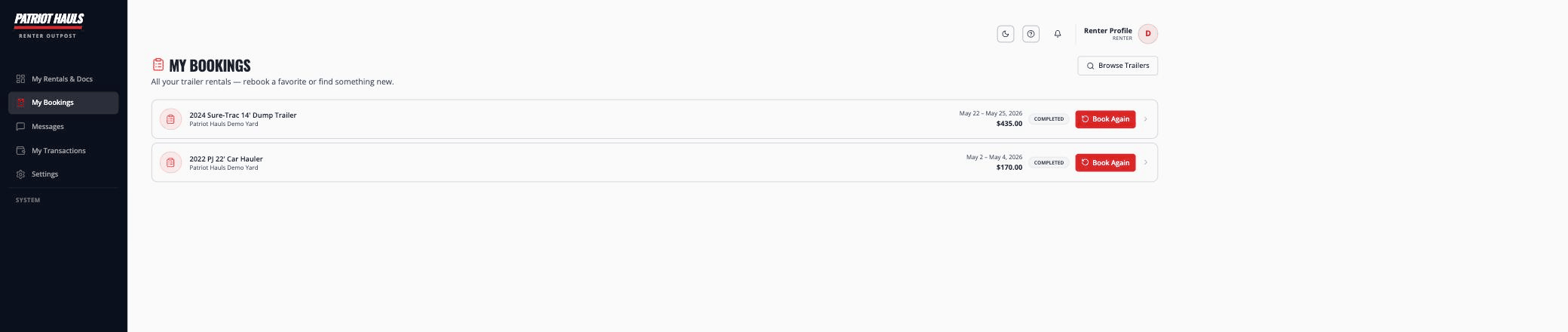
All your rentals live under My Bookings in your account. From there you can check the status of any rental, open the details, or rebook a favorite.
View your bookings
- Sign in and open My Bookings from your dashboard.
- Each rental shows the unit, the operator, your dates, the total, and a status badge:
- Pending — waiting on the operator to approve
- Confirmed — locked in
- Active — currently out on rental
- Completed — finished
- Cancelled — not going ahead
- Tap any booking to open its full details.
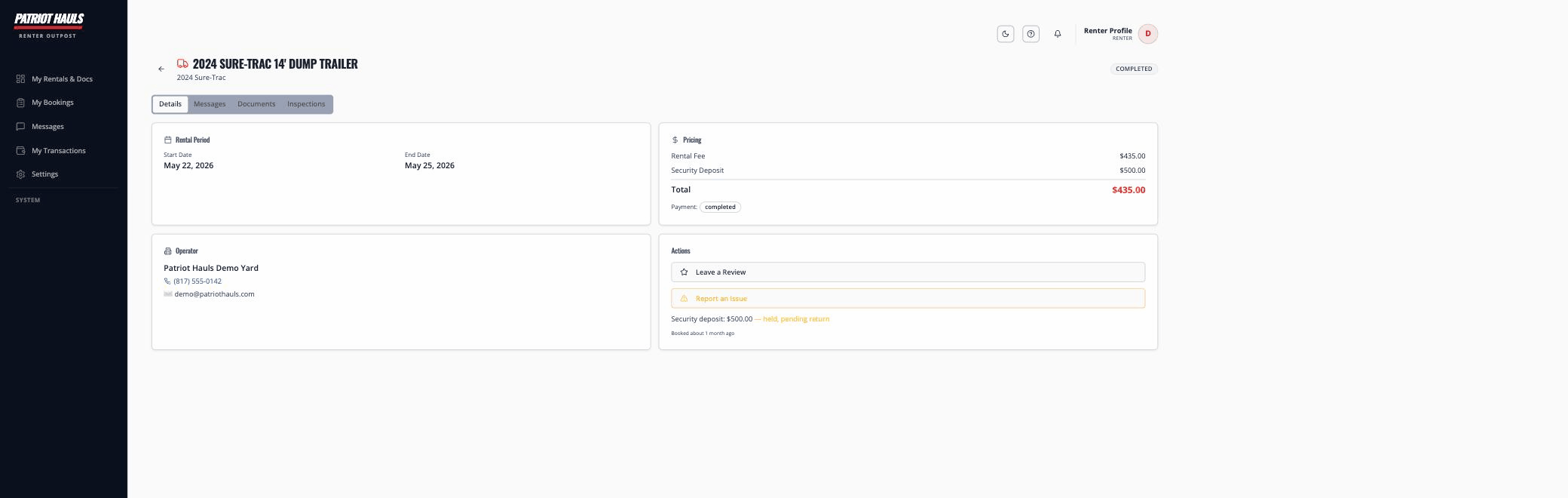
A booking's detail page shows the rental period, full pricing, your security deposit status, and your documents and contract:
Tip: Don't have an account yet? When you book, Patriot Hauls creates one for you automatically — see your renter account.
Rebook a trailer
Found one you love? Rebooking is the fastest way to get it again.
- Open My Bookings.
- On the rental you want to repeat, tap Book Again.
- You're taken straight to that unit — pick new dates and check out.
Because your license and insurance are already on file, returning checkouts are quicker: just confirm your documents are current (or upload new ones if anything has expired).
Find something new
Tap Browse Trailers from My Bookings to search again by location and equipment type. See find and book a trailer.
Need to change or cancel a rental? Contact the operator directly — their details are on your booking and confirmation email.