Craigslist and Facebook Marketplace are where a lot of local renters look first — but they don't allow automatic posting. So Patriot Hauls does the hard part: it writes a complete, ready-to-paste listing for the unit you choose. You review it and post it yourself.
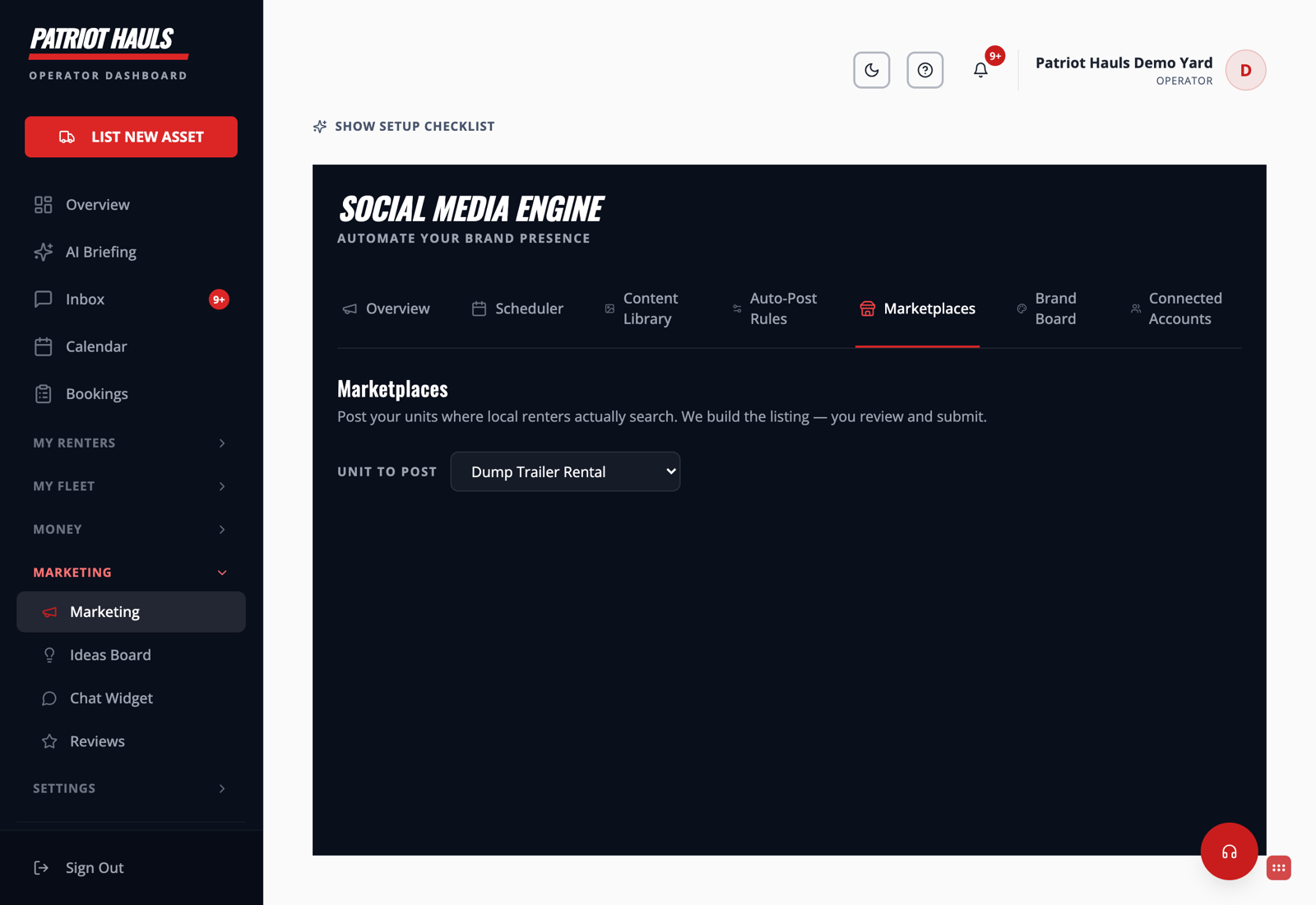
Open Marketing → Marketplaces.
Generate a listing
- Go to Marketing → Marketplaces.
- Under Unit to Post, pick the trailer you want to advertise.
- Patriot Hauls builds the listing — title, description, and details pulled from that unit.
- Review it, copy it, and paste it into Craigslist or Facebook Marketplace. Add your photos and post.
Good to know: These are manual posts by design. Craigslist and Facebook Marketplace don't offer auto-posting to third parties, so anything promising to auto-post there risks getting your account flagged. Copy-paste keeps your listings safe and in your control.
Tips for better results
- Post from the account and location you actually operate in — both platforms rank local listings higher.
- Refresh your Marketplace listing every few days so it stays near the top.
- Keep your Patriot Hauls unit details accurate; that's what the generated copy is built from.
For channels that can post automatically, see Connect Facebook and Instagram and Auto-post new inventory.
Still need help? Tap the Support button inside your dashboard.