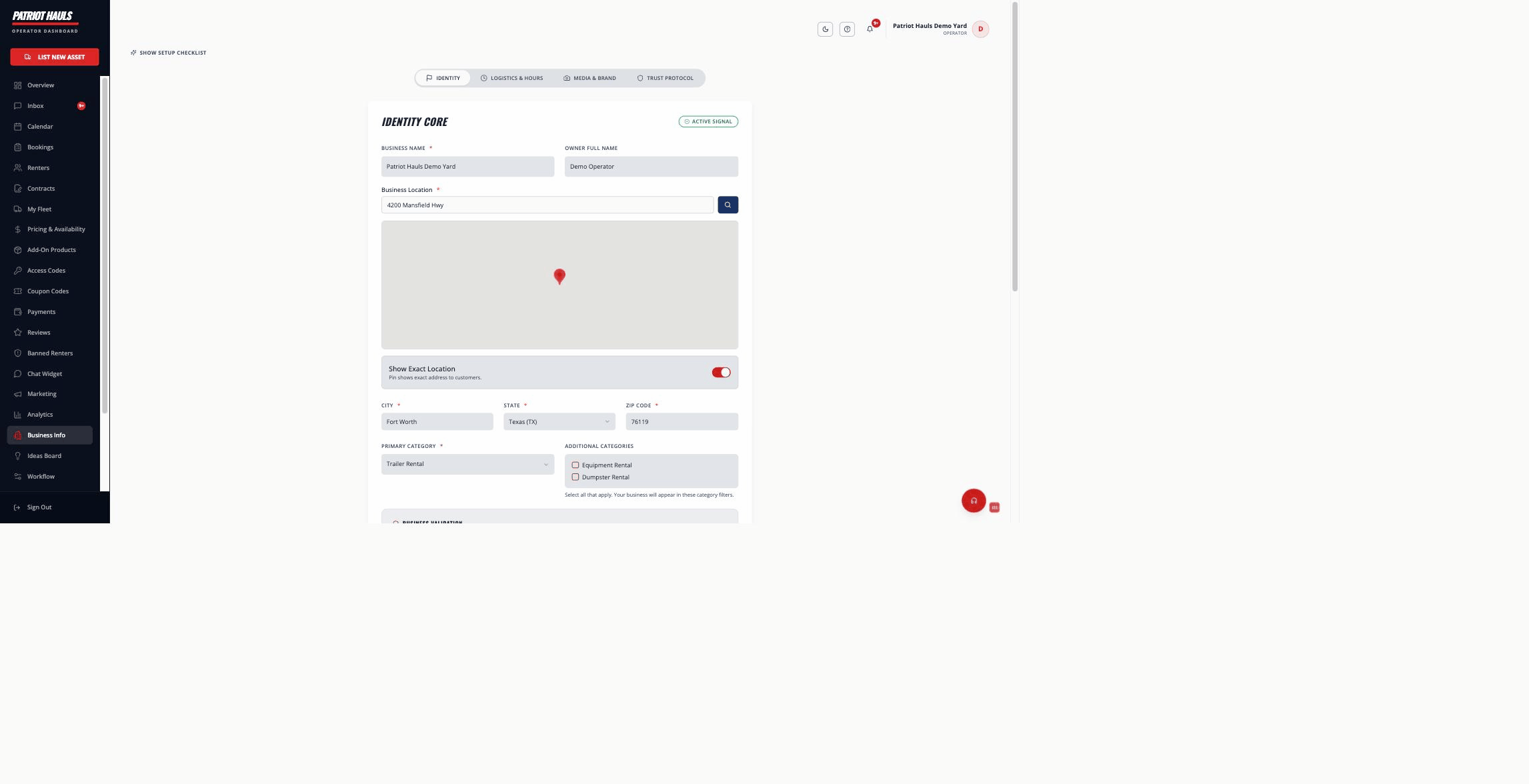
Your business profile is your public face on Patriot Hauls. It's what renters see, and it powers where you show up on the map and in search. You edit it from Business Profile in your dashboard, where everything is split across four tabs.
The four tabs
- Identity — your core details: business name, owner name, address, city/state/zip, primary and additional categories, website, tax ID/EIN, phone, email, and your description. This tab also holds the Publish Listing toggle.
- Logistics & Hours — your operating hours, service area, and (on Elite and up) multiple pickup locations.
- Media & Brand — your logo, listing photos, and social media links.
- Trust Protocol — submit documents to earn trust badges like Verified Operator, Veteran Owned, and Insured & Bonded.
Editing your details
- Open Business Profile and stay on the Identity tab.
- Update any field. Required fields (business name, location, category, phone) are marked with a red asterisk.
- Tap Save Core Identity.
Your address sets your pin on the map. You can choose whether to show your exact location or just the general area.
Tip: Use the AI description helper under the description box to turn a few notes into a polished paragraph.
Publishing your listing
The Publish Listing toggle on the Identity tab controls whether your business is visible to the public. Turn it on and save to go live; turn it off to take your listing private.
Heads up: Your listing can't go live until you've connected Stripe payouts. Without it, renters reach a checkout that can't complete, so publishing is held until you connect. See connecting Stripe payouts.
Avoiding duplicates
When you first create a profile, Patriot Hauls checks the directory for a business that matches the name you're typing. If it finds one that might be yours, it offers to let you claim the existing listing instead of building a duplicate.
Roles
Editing the business profile is a manager-and-up capability. Staff members can run day-to-day work but can't change your business info. See team roles and permissions.
Still need help? Tap the Support button inside your dashboard any time.