The best time to ask for a review is right after a smooth return. The Requests tab makes asking effortless, and the Widgets tab puts your best reviews to work on your own site.
Open Reviews → Requests.
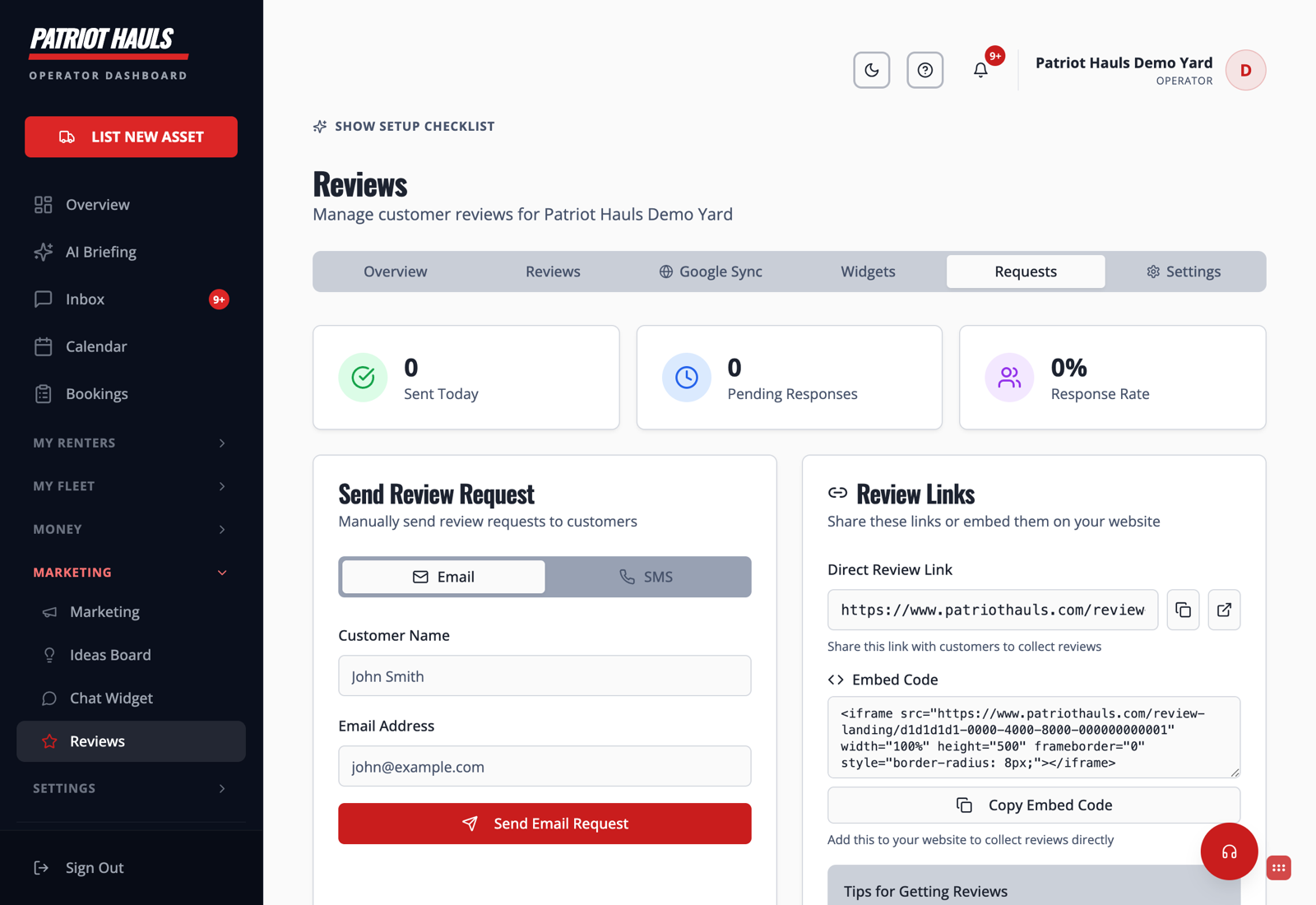
Send a review request
- Go to Reviews → Requests.
- Choose Email or SMS.
- Enter the customer's name and email (or phone).
- Click Send Request. The renter gets a link that takes them straight to leaving you a review.
At the top you'll see Sent Today, Pending Responses, and your Response Rate so you can track what's working.
Share a direct link
Under Review Links you get a Direct Review Link you can drop into a text, email signature, or receipt — anywhere you talk to customers. Copy it and share it however you like.
Put reviews on your website
The Widgets tab gives you an embed code for a reviews widget. Paste it into your own site so visitors see your star rating and recent reviews without leaving your page.
Tip: Ask within a day of the return, while the good experience is fresh. Response rates drop fast after that.
Still need help? Tap the Support button inside your dashboard.