Answering reviews matters — future renters read your replies as much as the reviews themselves — but it eats time. The Reviews tab drafts a response for you so you can reply to everything in minutes.
Open Reviews → Reviews to see your full list.
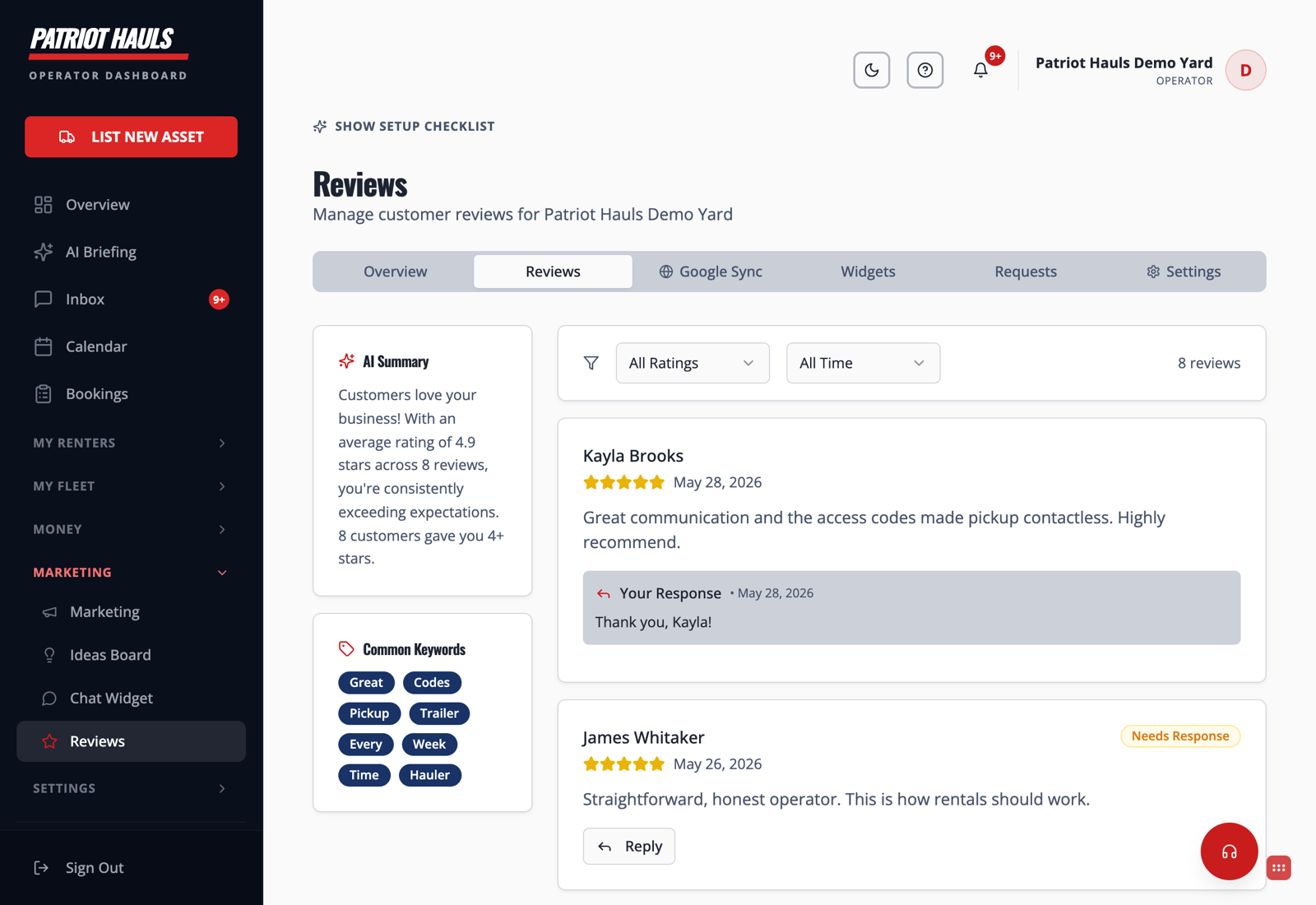
Reply to a review
- Go to the Reviews tab. Reviews that still need an answer are flagged Needs Response.
- Click Reply on the review you want to answer.
- Use the AI-drafted response as your starting point.
- Edit it so it sounds like you — add the renter's name, a specific detail, a thank-you.
- Post it. Reviews you've answered show Your Response underneath.
Read the room at a glance
The Reviews tab also gives you:
- AI Summary — a quick read on what customers are saying overall.
- Common Keywords — the words that come up most, so you can see what renters value (and what to fix).
- Filters by rating and time period to focus on what needs attention.
Tip: Always personalize the draft before posting. A reply that names the renter and references their rental reads as genuine — a generic one reads as a bot. The AI gets you 90% there; the last 10% is what builds trust.
Still need help? Tap the Support button inside your dashboard.