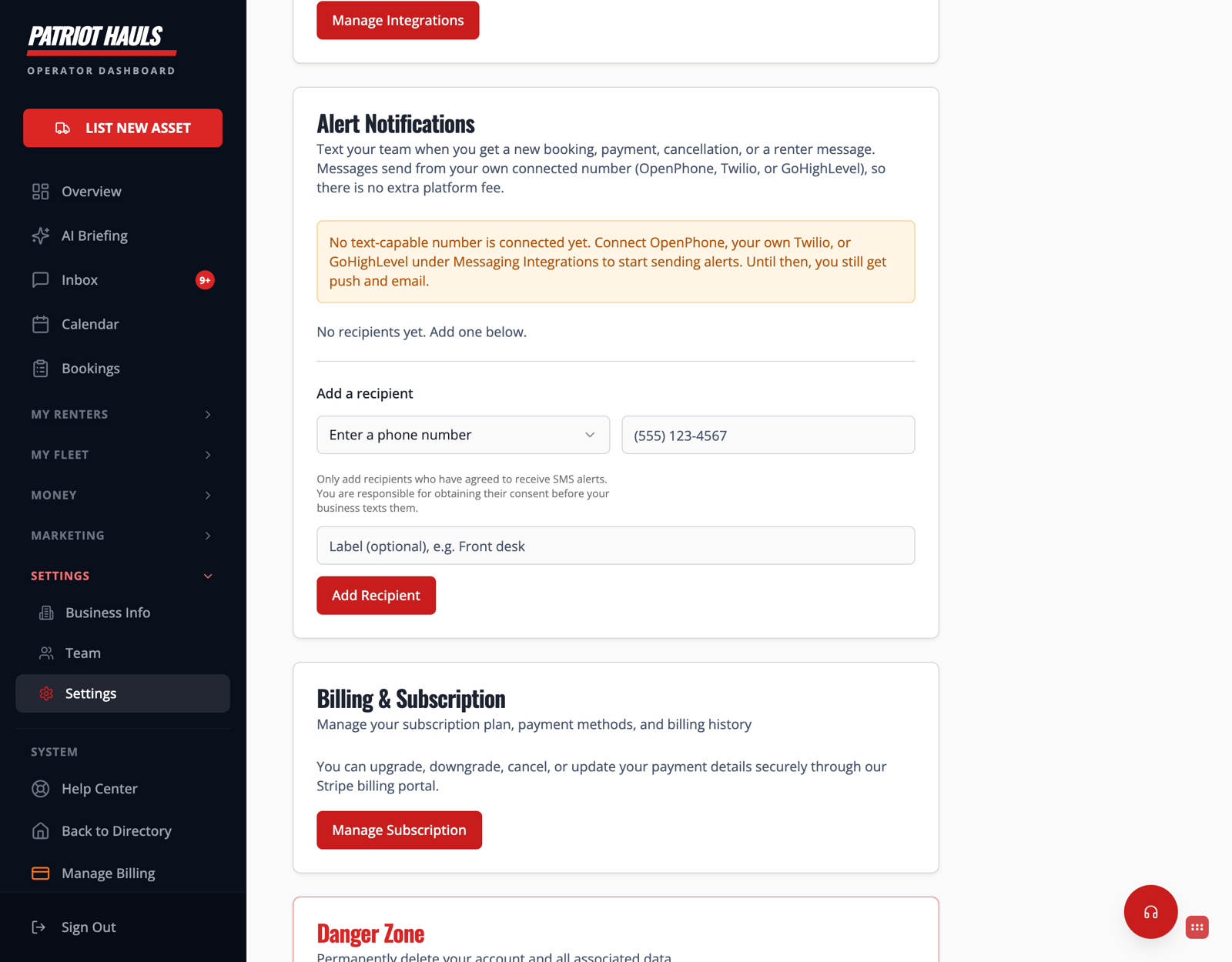
You shouldn't have to sit in the dashboard to know a booking came in. Alert Notifications text you — and anyone on your team you choose — the moment something important happens.
You'll find it in Settings, under Alert Notifications.
What you get alerted about
Alerts fire for a new booking, a payment, a cancellation, and a new renter message — the events you'd want to know about right away.
Set it up
- First, connect a text-capable number under Messaging Integrations — Patriot Hauls sends these alerts from your own connected number (OpenPhone, Twilio, or GoHighLevel), so there's no extra platform fee.
- Go to Settings → Alert Notifications.
- Under Add a recipient, enter a phone number and an optional label (like "Front desk").
- Add as many recipients as you need — yourself, a partner, staff.
Heads up: Until you've connected a text-capable number, the alerts can't send by text — you'll still get push and email in the meantime. Connect your number under Messaging Integrations to switch text alerts on.
Good to know: Only add people who've agreed to receive these texts. You're responsible for getting their consent before your business texts them — see SMS consent and compliance.
This setting is owner-controlled. Still need help? Tap the Support button inside your dashboard.