You can make the agreements your own two ways: set your fees and jurisdiction in Contract Settings (the quick way most operators use), or edit the wording directly in the contract editor.
The easy way: Contract Settings
Open Dashboard → Contracts → Contract Settings. These are the few values your agreements can't pull from a booking automatically. Set them once and every contract uses them:
- Where disputes are handled — your governing state (defaults to your business state if left blank) and county.
- Your fees — late fee per day, dry-run/trip fee, insurance deductible, replacement value, and the damage waiver fee and waiver deductible.
- Dumpster rates (only if you rent dumpsters) — included tonnage, overage rate per ton, and extension rate per day.
Anything you leave blank shows as an empty fill-in line on the contract for you to complete by hand. Some fields have sensible defaults (for example, a $50/day late fee) when you leave them blank.
Good to know: Your renters always see real amounts here, never a blank or a code. Fill in what applies to your business and skip the rest.
Editing the wording
If you want to change the actual text:
- Go to the Templates tab and pick a template.
- Edit it in the Word-style editor. Use Edit to write and Preview to see it with sample renter data filled in.
- Click Save.
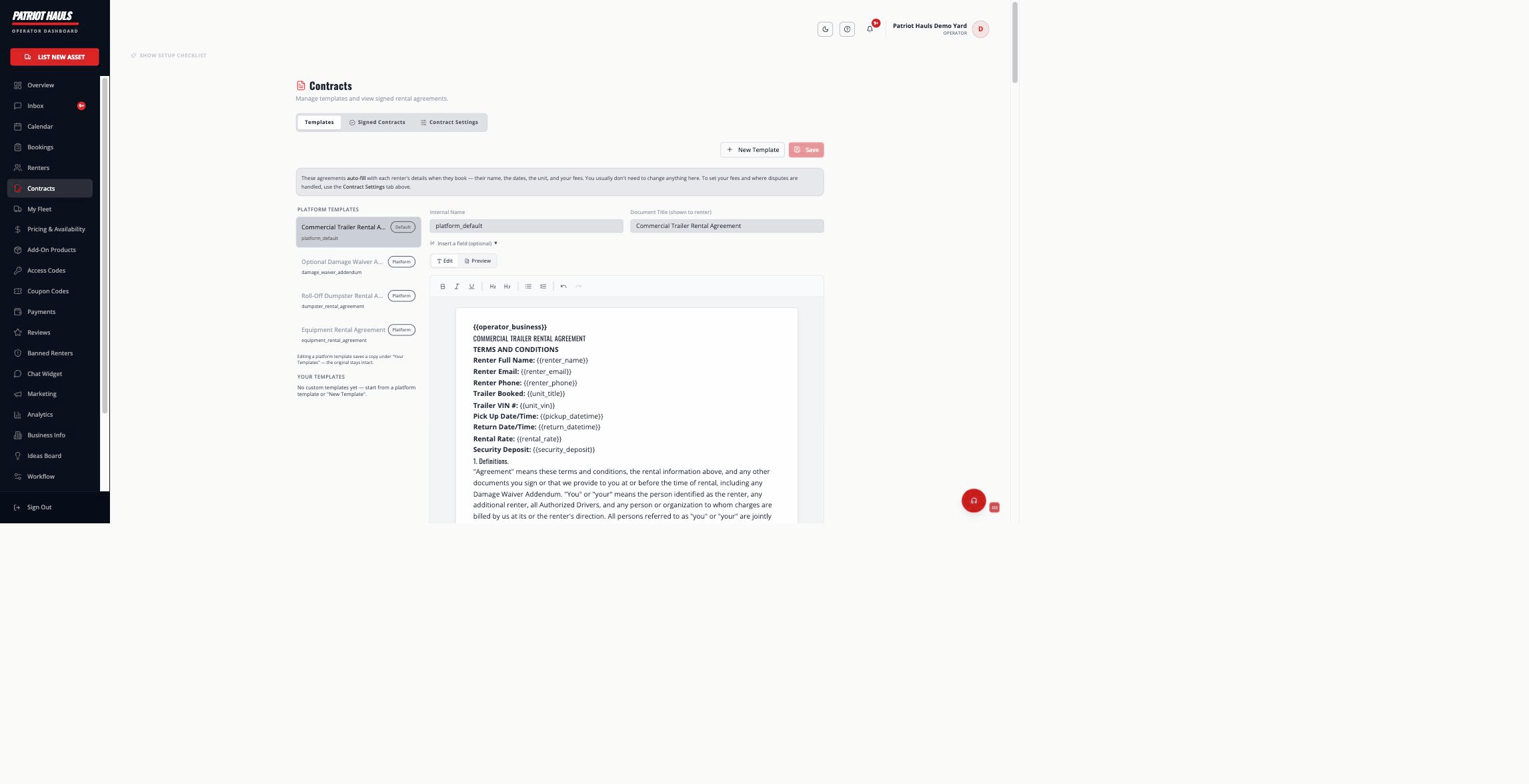
When you edit a platform template, Patriot Hauls saves a copy under "Your Templates" and leaves the original untouched. You can also click New Template to start from scratch. Use the Insert a field option to drop in auto-filling values like the renter's name or the dates.
Assigning a contract to a unit
To use a specific agreement for a particular unit, set that unit's contract on the unit itself. Otherwise the booking falls back to your default template, then the platform default — see rental contracts overview.
Next: contract variables explains exactly what auto-fills.
Still need help? Tap the Support button inside your dashboard.