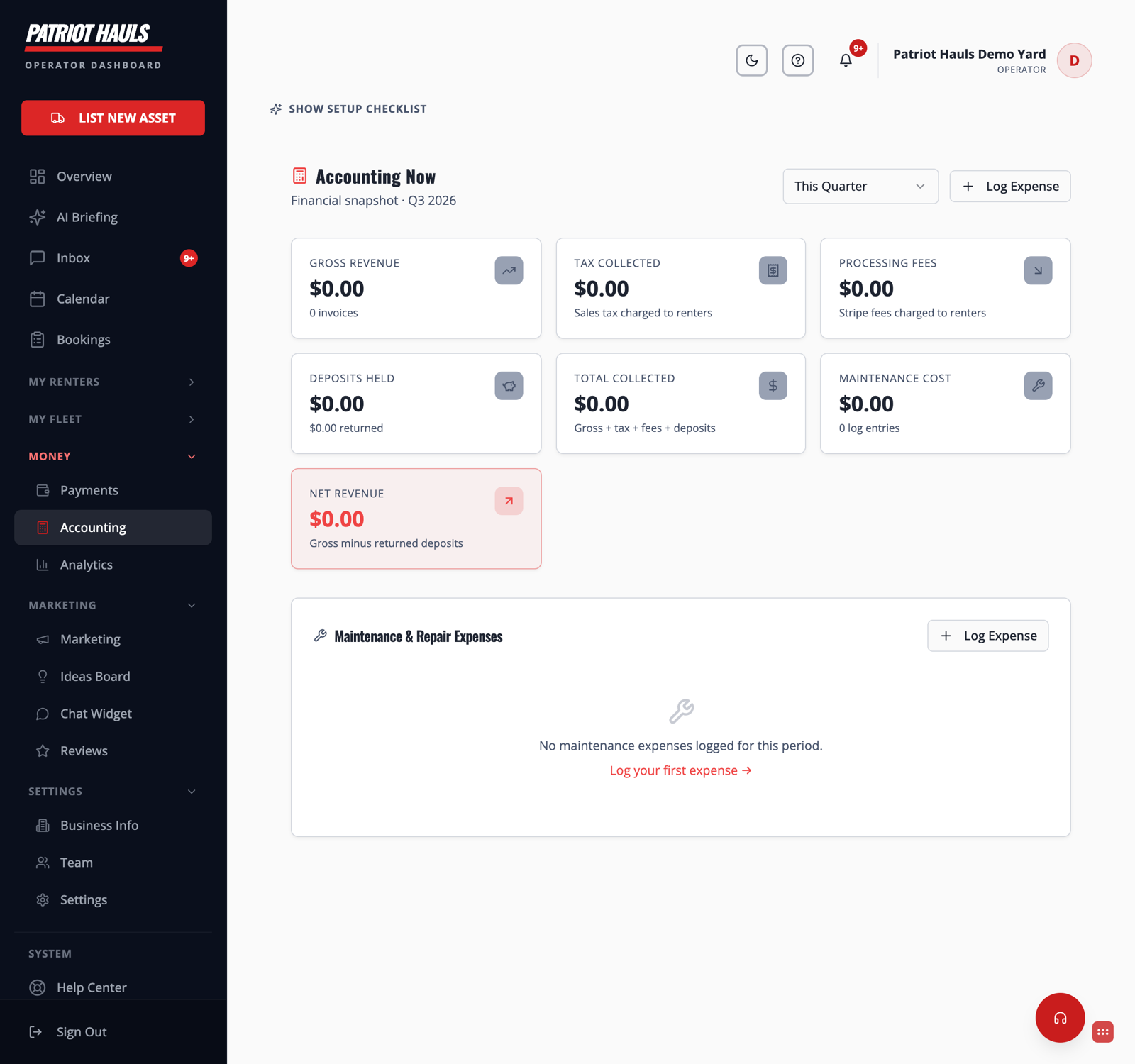
Accounting Now is your money dashboard. It pulls straight from your paid invoices and the maintenance costs you log, so you can see what you earned, what you're holding, and what you actually netted — no spreadsheet required.
Pick a period first
At the top right, choose the window you want:
- This Quarter or Last Quarter
- This Year or Last Year
Every number on the page updates to match. The header shows which period you're viewing (for example, "Q3 2026").
The summary cards
These seven cards give you the fast read:
- Gross Revenue — the base rental income across your paid invoices for the period, plus the invoice count.
- Tax Collected — the sales tax you charged renters. This isn't yours to keep; you remit it to your state.
- Processing Fees — Stripe's processing fees that were passed through to renters at checkout. See Processing fees and net payouts.
- Deposits Held — security deposits you're currently holding, with the amount already returned shown underneath.
- Total Collected — everything that actually hit your account: gross + tax + fees + deposits.
- Maintenance Cost — the total of the expenses you've logged for the period. See Maintenance logs and receipts.
- Net Revenue — gross minus returned deposits. This is the highlighted card.
Good to know: Deposits aren't income. They're money you're holding that belongs to the renter until it's returned or kept for damages, so they're tracked separately from your earnings.
The tables below
- Revenue by Trailer — a per-unit breakdown of rentals, gross, tax, fees, deposits, and net. Rows marked "(manual)" come from bookings not tied to a specific unit.
- Quarterly Tax Summary — gross, tax collected, and processing fees by quarter, so filing season is less of a scramble.
- Deposit Ledger — every deposit, who it's from, what's been returned, and what you're still holding.
- Maintenance & Repair Expenses — each cost you logged, with a receipt link where you attached one.
The P&L snapshot
At the bottom, once you have revenue, you get an Estimated P&L Snapshot: gross revenue, minus sales tax, minus processing fees, minus maintenance, equals your estimated net income.
Heads up: These figures are an estimate from your logged data — deposits are excluded because they're a liability, not income. Always confirm official filings with your accountant.
Still need help? Tap the Support button inside your dashboard.